Set a monthly revenue goal
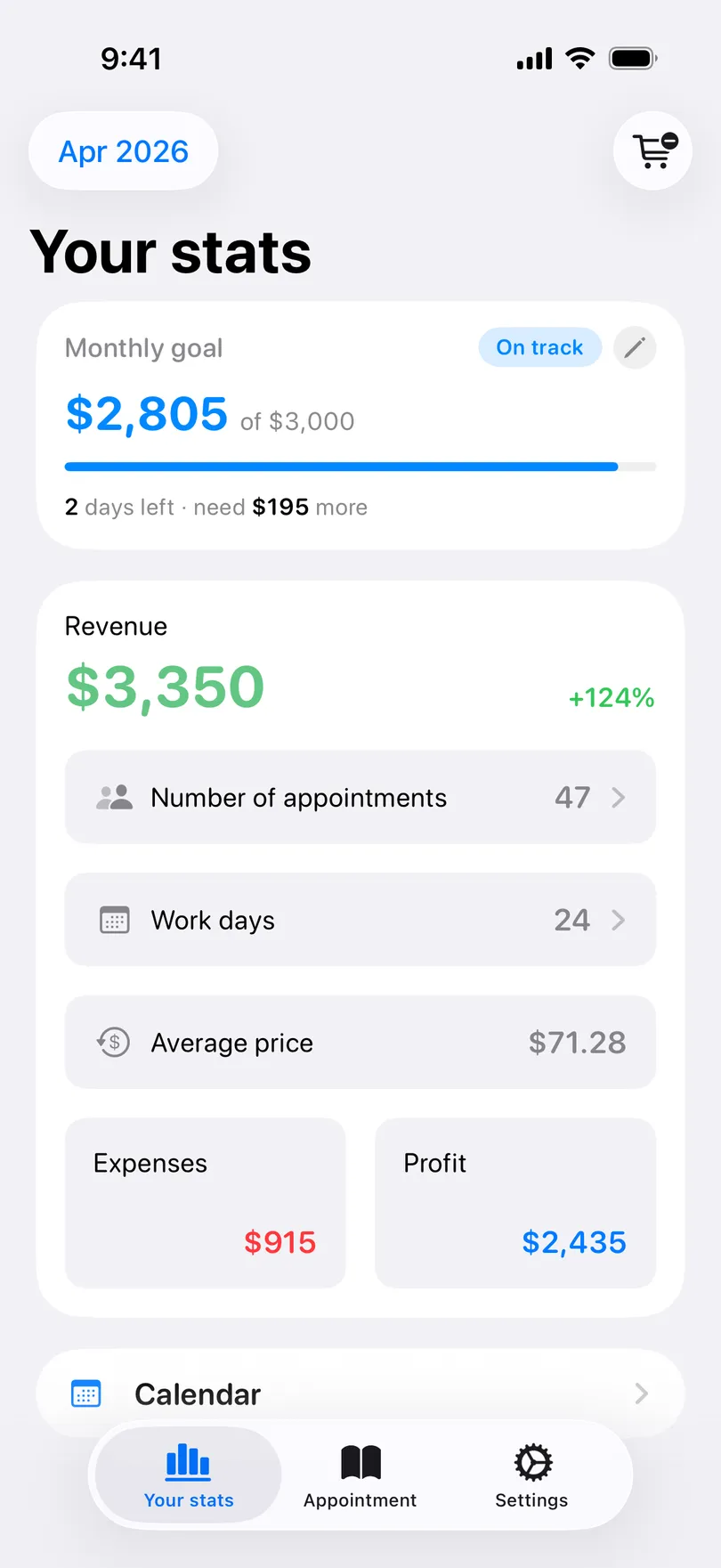
Name the number you are aiming at and the Statistics tab tells you whether the month is on track, how many days are left and how much is still needed.
iOS onlyPro Updated Sep 18, 2026
A slow first week is easy to miss when you look at the total on the 30th. The goal card looks at it on the 8th.
Steps
- On the Statistics tab, the Monthly goal card sits at the top while the month is running. Tap Tap to set a revenue goal.
- Enter the amount and Save goal.
- From now on the card shows your revenue of the goal, a progress bar, and a pill — On track, Need to pick up, or Goal hit — with days left · need X more underneath.
Change or remove the goal
Touch and hold the card and choose edit or Reset goal.
Good to know
- The card only shows for the month in progress. Past months keep their revenue; the goal itself is a single number you carry forward.
- Revenue for the goal is the same figure as on the dashboard — prices, tips and other income together.
- Monthly goal is part of Pro on iPhone, and is not available on Android.
Related questions
See also
Read more on the blog
Didn’t find the answer? Ask support
My Clients 

Start organizing your clients today
Free No account Works offline