Know before she sits down whether it's an infill
Your book is regulars on a two-to-three-week rhythm. My Clients keeps what you used last time, how long it's been, and a reminder you send in one tap. Free, offline, no account.


Free · No account · Works offline
Where a lash book gets complicated
Infills are what keep a lash business steady, and every one depends on what happened at the last visit.
Infill or full set?
It depends on how long it's been and how much is left. When the last visit isn't written down, you find out when she's already lying down.
The map lives in your head
Curl, lengths, thickness, the eye that needs a shorter inner corner. Forty regulars, forty maps.
Sensitivities matter
A client who reacted to a glue or a tint should never have to remind you.
Regulars drift past the window
Most infills come back every two to three weeks. One who misses two windows is usually booking somewhere else.
A card per client, a note per visit
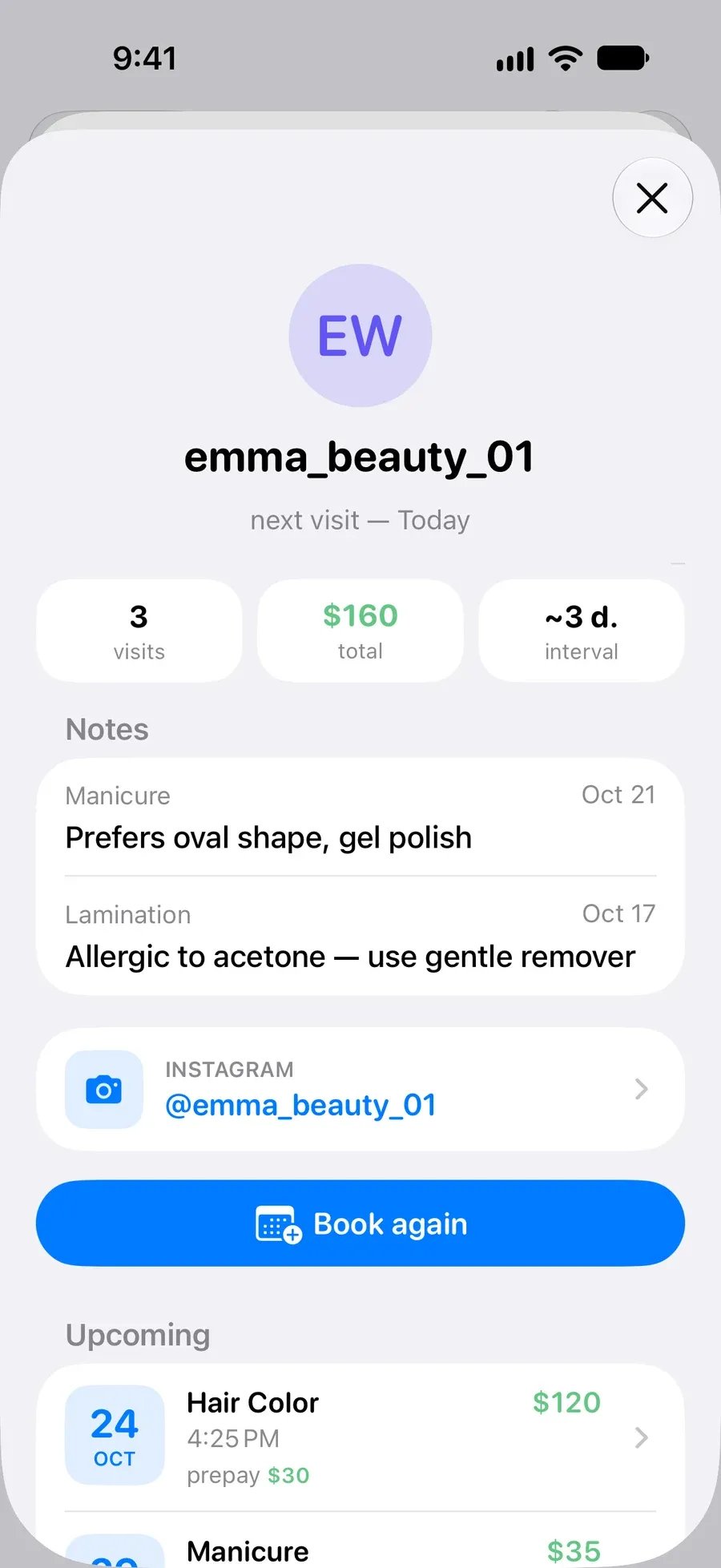
How long since her last set, on the card
Visits, total spent and her usual interval sit at the top of every client card. Below are the notes from each visit, so curl, length and glue are there before you pick up the tweezers.
How it works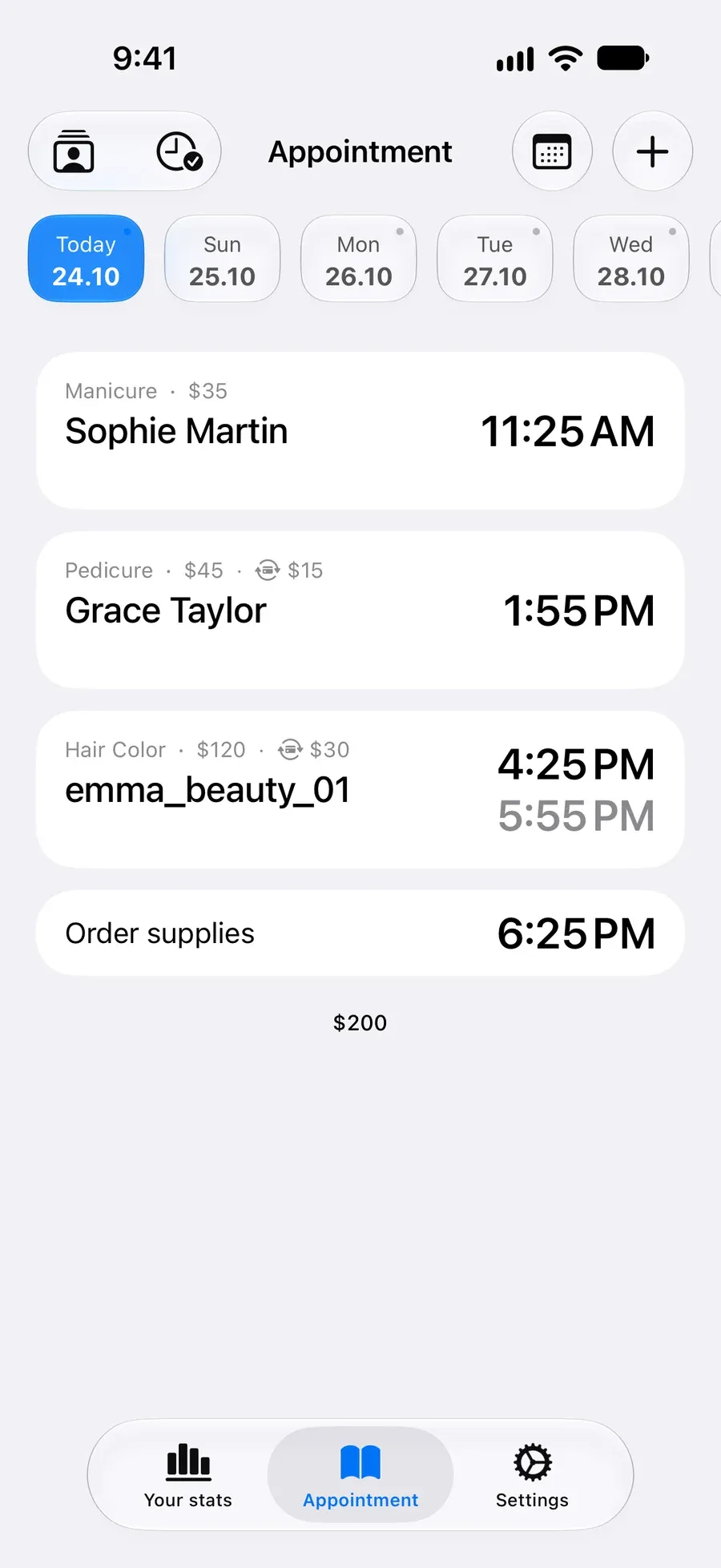
The next infill booked before she leaves
Book again starts a new appointment from the last one with the service and price filled in. On iPhone, a regular can repeat every 2 or 3 weeks without booking her each time.
How it works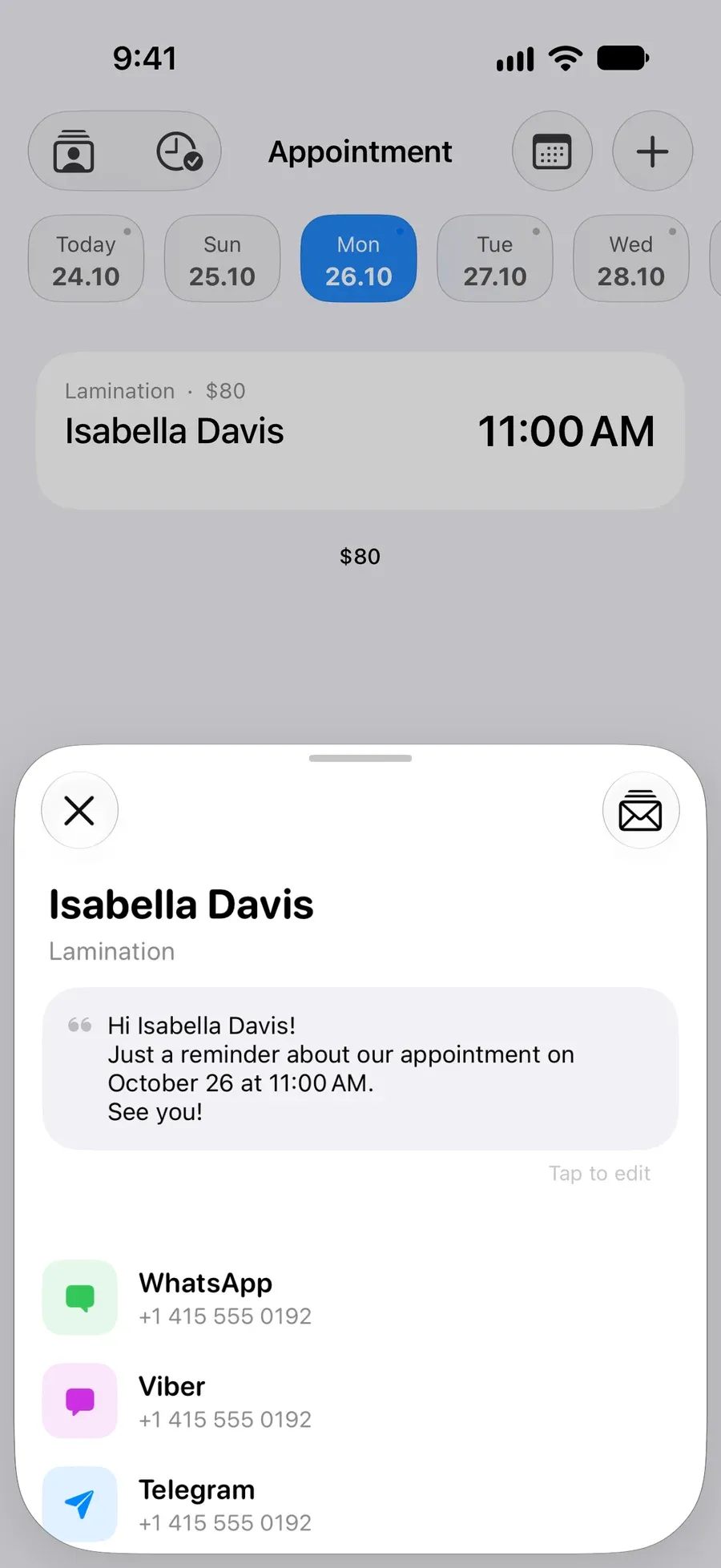
A reminder you send yourself, already written
Your phone reminds you before each appointment. Tap Notify client and the message is ready with her name, date and time, to send by WhatsApp, SMS, Telegram or Instagram.
How it works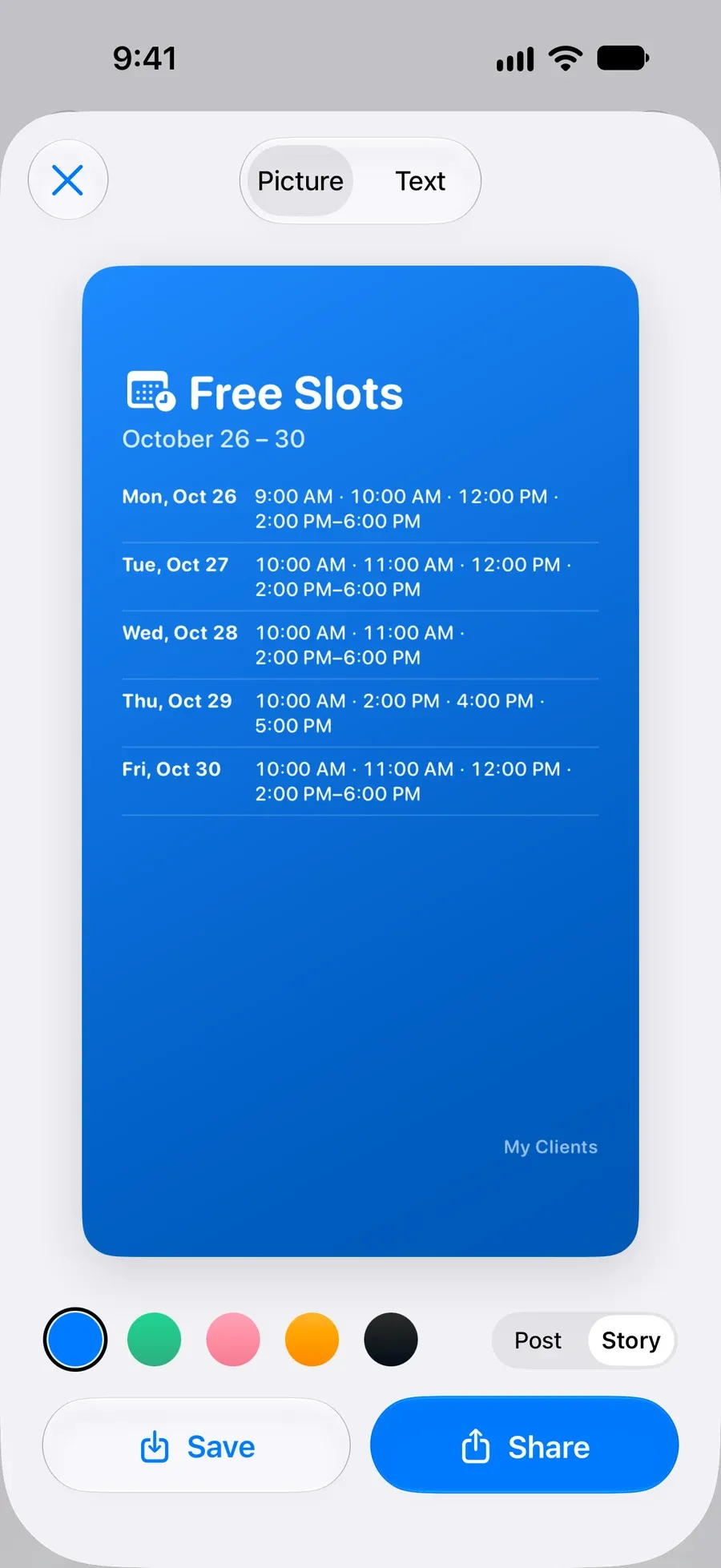
Open spots for your Stories
Free Slots turns the gaps in your week into one picture for Instagram Stories, so DM regulars can pick a time.
How it works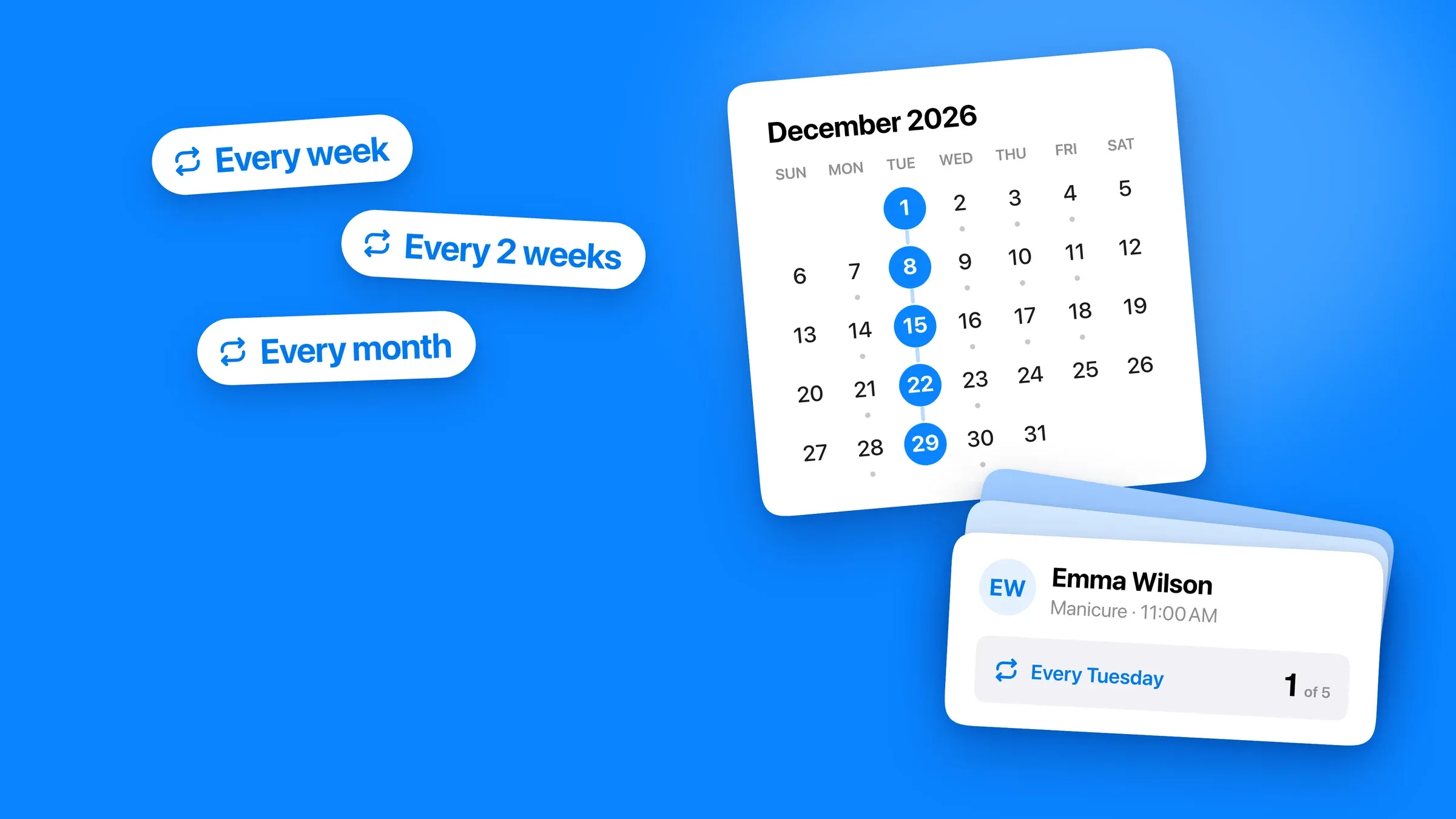
Infills on repeat
For the regular who's in every third Thursday, set the appointment to repeat once and stop rebooking her by hand. Recurring appointments are free on iPhone. On iPhone you can also filter clients by visit frequency, including everyone who hasn't been in for 90 days.
When a booking platform is the better choice
My Clients is a client book on your phone. If you need any of these, a booking platform will serve you better.
- Deposits taken at booking
The prepay field records money you've taken. It can't take a card deposit or charge a cancellation fee.
- Self-booking from your bio
There's no booking page. Clients message you and you write them in.
- Consent and patch-test forms
There are no forms. You can note the date of a patch test, but the app doesn't store signed consent.
- A drawn lash map
Notes are text. Apps built for lash mapping let you draw it.
Questions
Is My Clients free for lash techs?
Yes. Unlimited clients, unlimited appointments, notes, the client history and this month's takings are free, with a banner ad. Pro adds expenses and profit, past months, Free Slots, calendar views and iCloud sync. On Android the client list itself is part of Pro.
Does it work for brow artists too?
Yes. Tint shades, shape notes and lamination or brow-lift details go in the same per-visit notes.
Can I see who's overdue for an infill?
Each client card shows her usual interval and every visit with its date. On iPhone you can also filter clients by visit frequency, including those who haven't been in for 90 days.
Does it take deposits?
It records them in a prepay field on each appointment. Taking the payment happens outside the app.
Does it remind clients automatically?
No. It reminds you, and you send the client a ready-written message in one tap.
Does it work offline?
Yes. Everything is stored on your phone, with no account. iCloud sync between iPhone and iPad is optional and uses your own iCloud.
Read more
- Best App for Lash Techs in 2026, Followed Through One Regular's Year
- How a Solo Lash Artist Can Keep Clients on the 3-Week Cycle, Cut No-Shows, and See Her Real Income
- Your Regulars Are Quietly Drifting Away. Here's How to Find Them in Under a Minute
- “Anything Free on Friday?” Send Your Open Times as One Picture
- Clients Not Showing Up? How to Reduce No-Shows and Stop Losing Money
Start organizing your clients today