Client profiles and visit history
Every appointment builds a client page by itself — visits, total spend, the usual interval, notes, contact shortcuts and a Book again button.
Updated Sep 18, 2026
There is no “add client” screen, and none is needed. The app groups your appointments by the client’s name — or their Instagram handle, or their phone number — and each group becomes a page.
Open a client
- On the Appointments tab, tap the clients icon in the top bar (the stack of cards). The list shows every client with their visit count and what they have spent.
- Tap a name. Or open any appointment and tap the client’s name at the top.
What the page holds
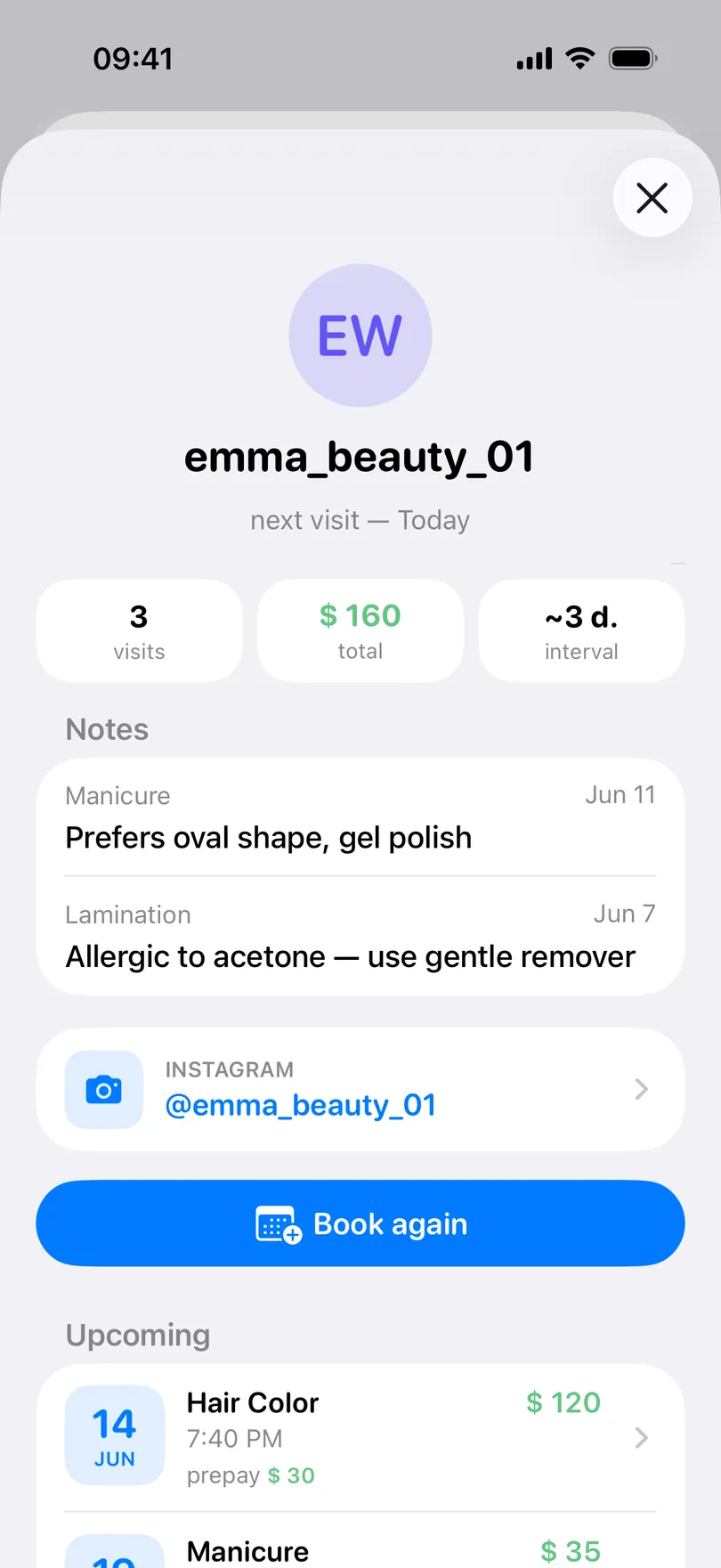
- Three tiles: how many visits, the total they have spent (with tips noted separately on iPhone), and the interval — the average gap between visits, in days, weeks or months. A client on a three-week rhythm who has not been in for seven is the one to message.
- Notes from the two most recent visits, and an All notes row that opens the full, searchable list. See Notes on every client.
- Contact rows: Instagram (or Link) opens the profile; Phone offers a call, a message or copying the number on iPhone, and opens the dialer on Android.
- Book again starts a new appointment prefilled from the last visit — on iPhone with the service, price, deposit and phone; on Android with the name and today’s date.
- The visits themselves, upcoming first, then past ones. Tap any to open it.
Good to know
- Status badges on iPhone: New for a first-timer, Inactive for a client who has not been in for 90 days. In the client list you can filter by the same idea — see Filter and sort your clients.
- The name is the key. “Anna” and “Anna K.” are two clients until you rename one of the appointments. A phone number or an Instagram link keeps them together more reliably than a name.
- What a client has: a name or handle, a phone number, the notes on each visit. There is no email, birthday or photo field — the avatar is generated from the initials.
- On Android the client list and client pages are part of Pro; on iPhone they are free.
Related questions
See also
Read more on the blog
Didn’t find the answer? Ask support
My Clients 

Start organizing your clients today
Free No account Works offline