Add a client by their Instagram link
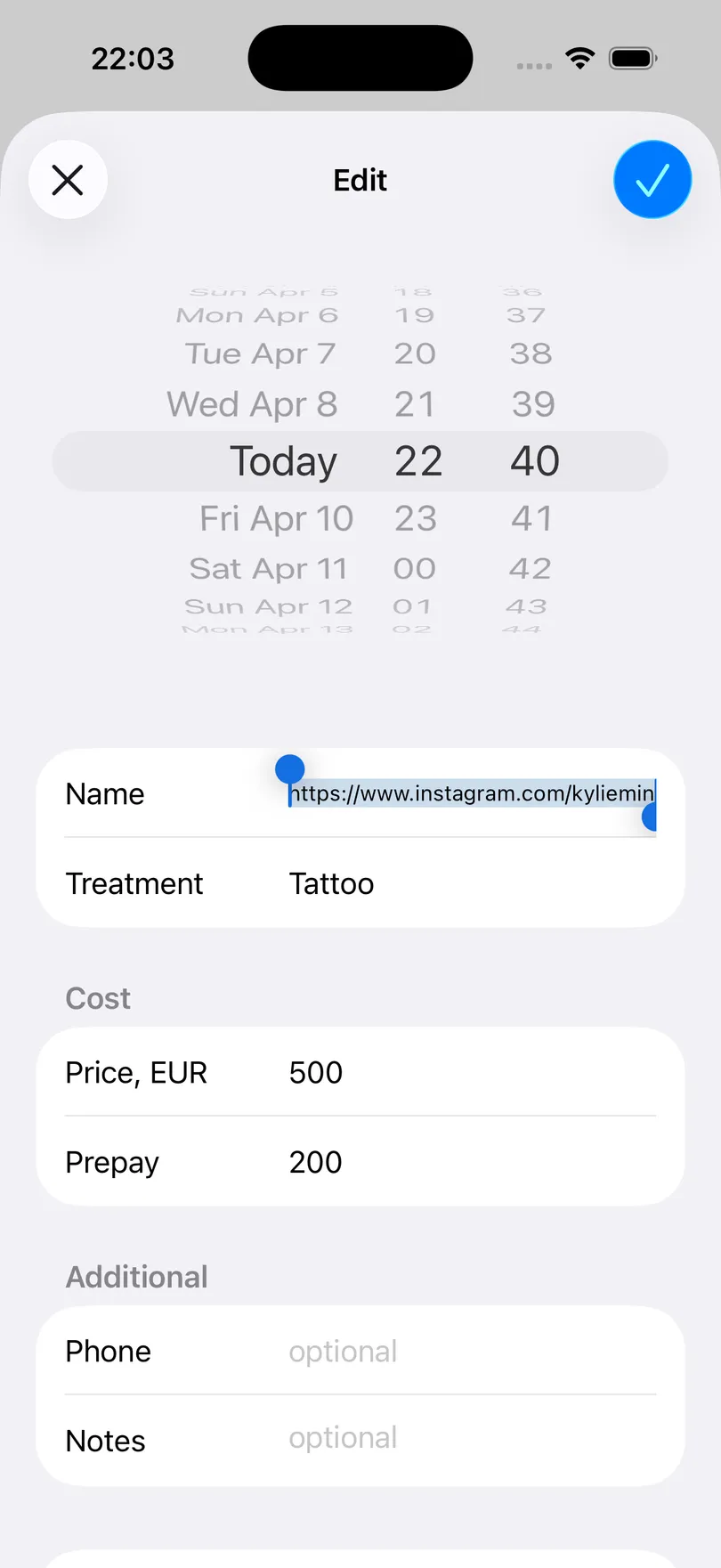
Paste an Instagram profile URL where the name goes and the app keeps the handle, opens the profile in one tap, and can message the client through Instagram.
Updated Sep 18, 2026
Half of a beauty professional’s clients arrive by Instagram DM and never share a phone number. The app treats a profile link as a first-class way to identify someone.
Steps
- In Instagram, open the client’s profile, tap the share or … button and copy the profile link.
- In the appointment form, paste the link into the Name field — its placeholder says so: or Instagram link.
- Save. The app reads the username out of the URL and shows @handle instead of the link, everywhere.
What the link unlocks
- Open Instagram in the long-press menu of every appointment for that client, and an Instagram row on the client’s page — one tap to their profile to check a reference photo or reply to a DM.
- Instagram as a channel in the Notify client sheet: the reminder text is copied and the app opens a chat with them. See Send a reminder to a client.
- A reliable client key. Appointments with the same handle are grouped into one client page even if you never typed a name.
Good to know
- Telegram links work the same way (
t.me/name): on iPhone the quick action becomes Open Telegram, and both platforms can send the reminder through Telegram. - Any other link (on iPhone) is kept as Link and opens in the browser.
- Notes are not links. A URL typed into the Notes field stays plain text; the Name field is the place for a link.
Related questions
See also
Read more on the blog
Didn’t find the answer? Ask support
My Clients 

Start organizing your clients today
Free No account Works offline