
Bookings in seconds
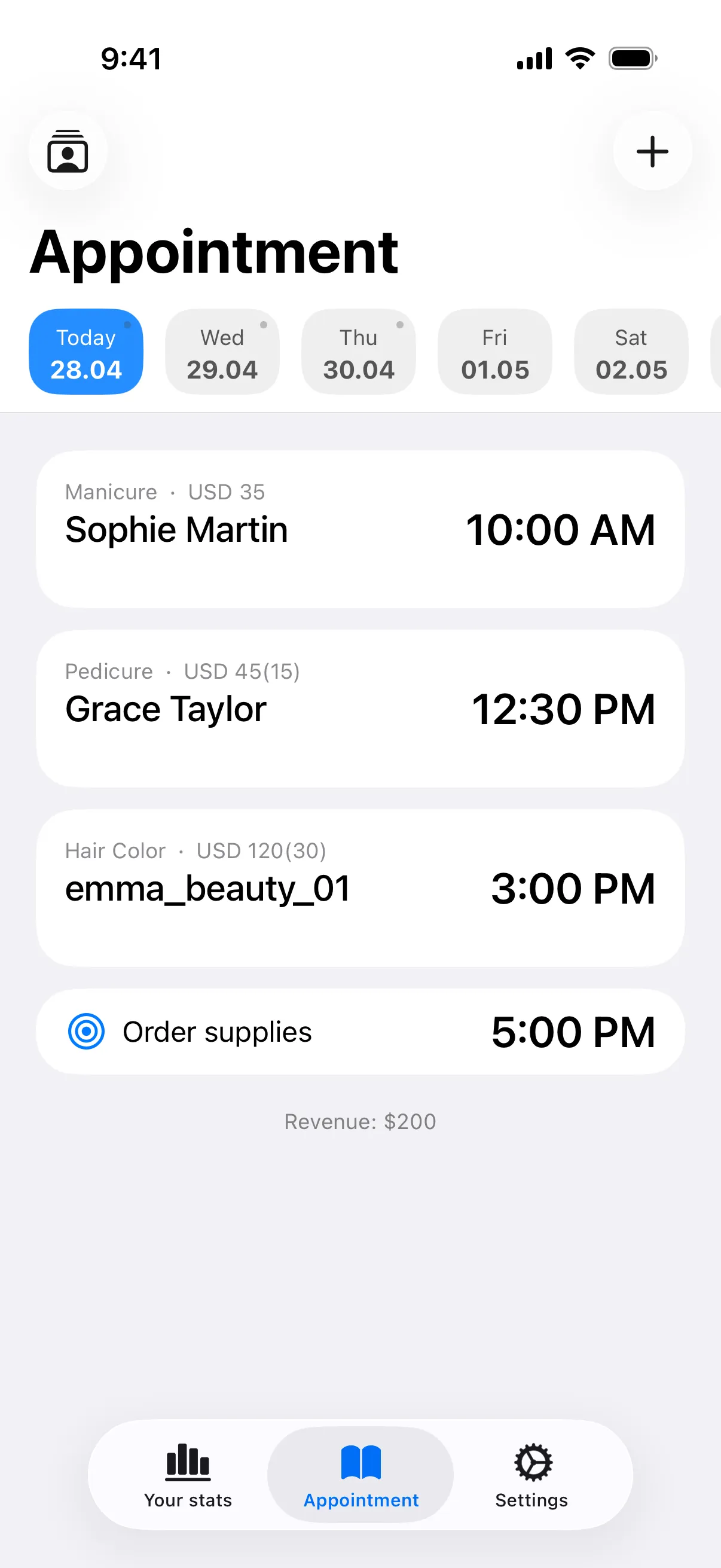
Client, service, price and time — done. Full visit history and one-tap rebooking always at hand.
How it worksNo more notebooks or spreadsheets. 25,000+ solo pros keep track of clients, appointments and income in My Clients every month — no account, no signup.


Built around a solo pro's actual workday
Client, service, price and time — done. Full visit history and one-tap rebooking always at hand.
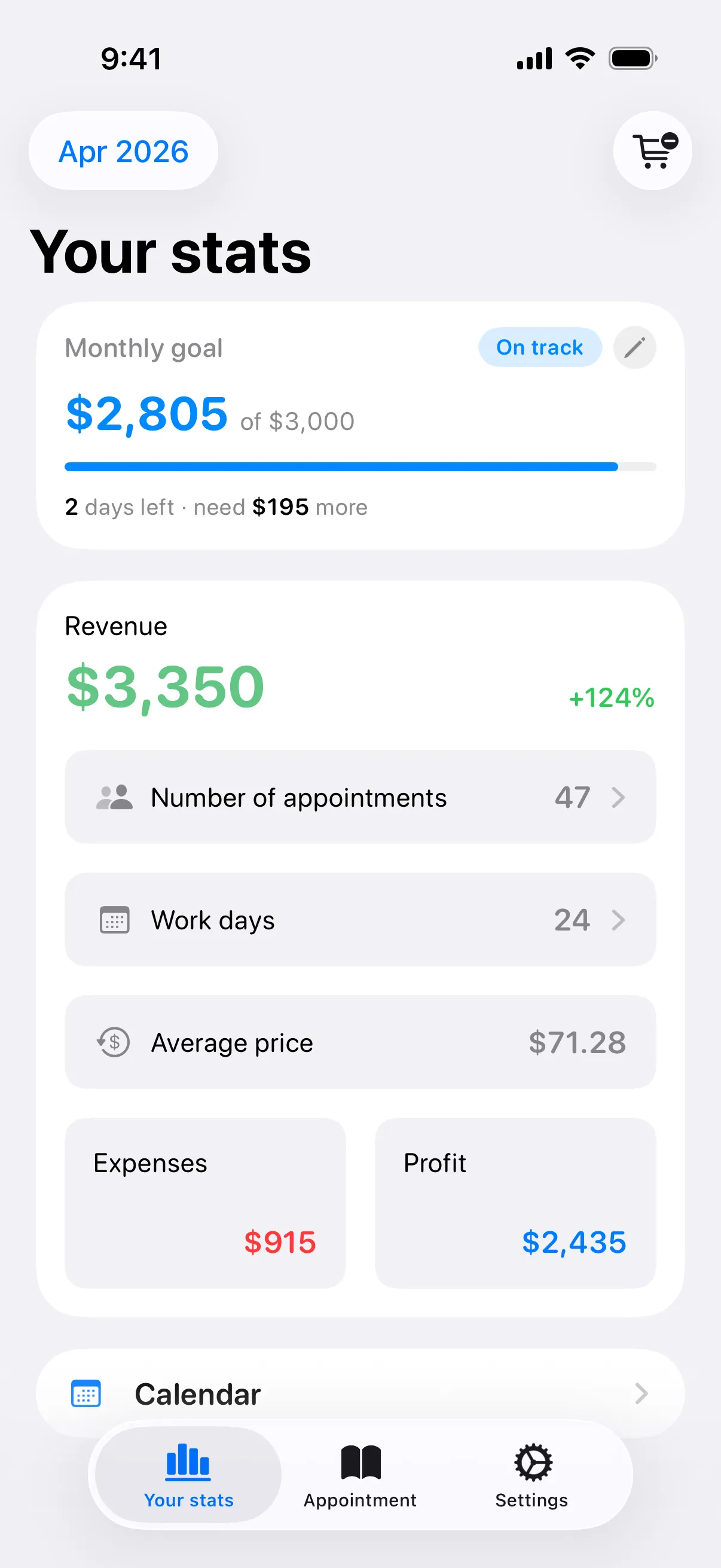
How it worksIncome, expenses, net profit and goals. 25+ currencies. Daily, weekly and monthly reports.
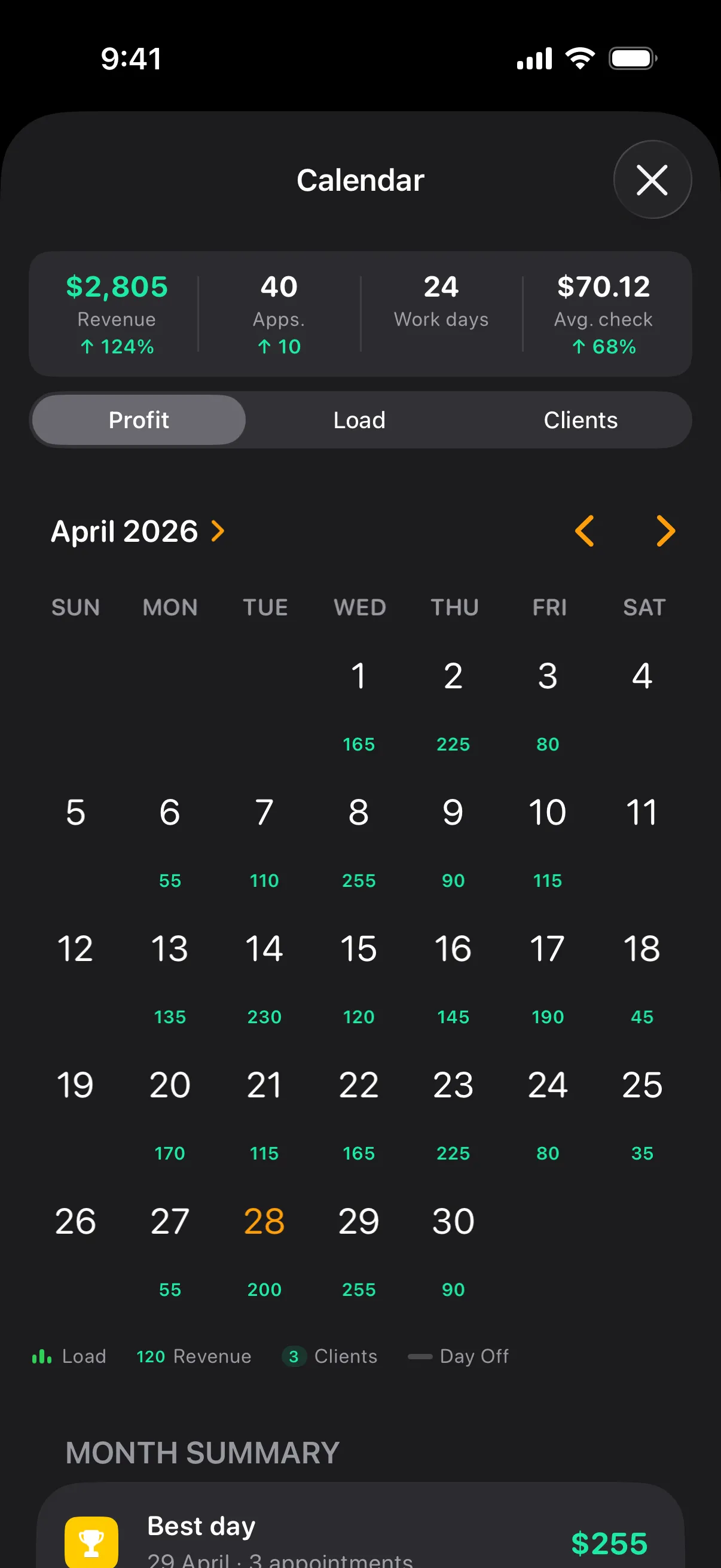
How it worksMonth, week, day. See your load and open slots instantly — switch the view that fits the moment.
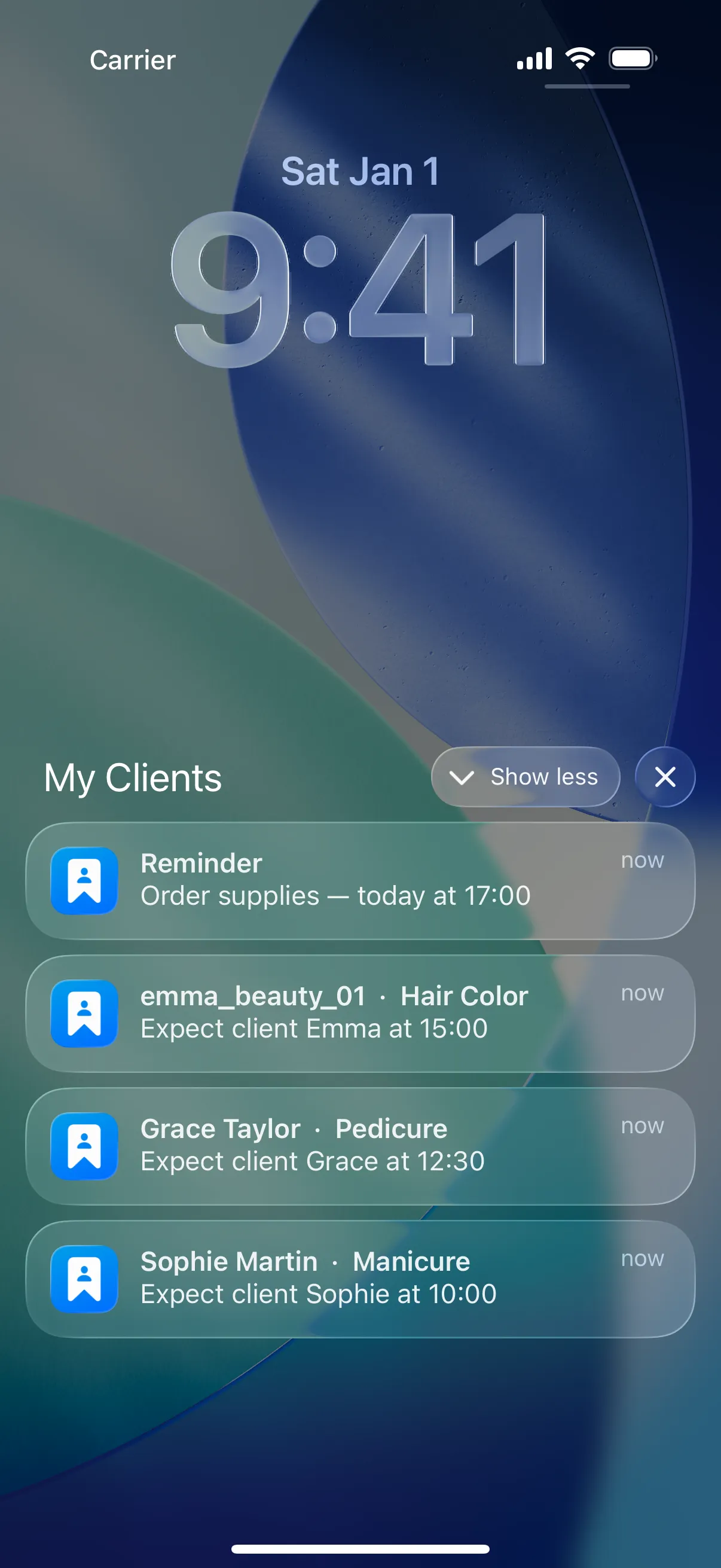
How it worksAutomatic reminders — set anywhere from 30 minutes to 1 day before each visit.
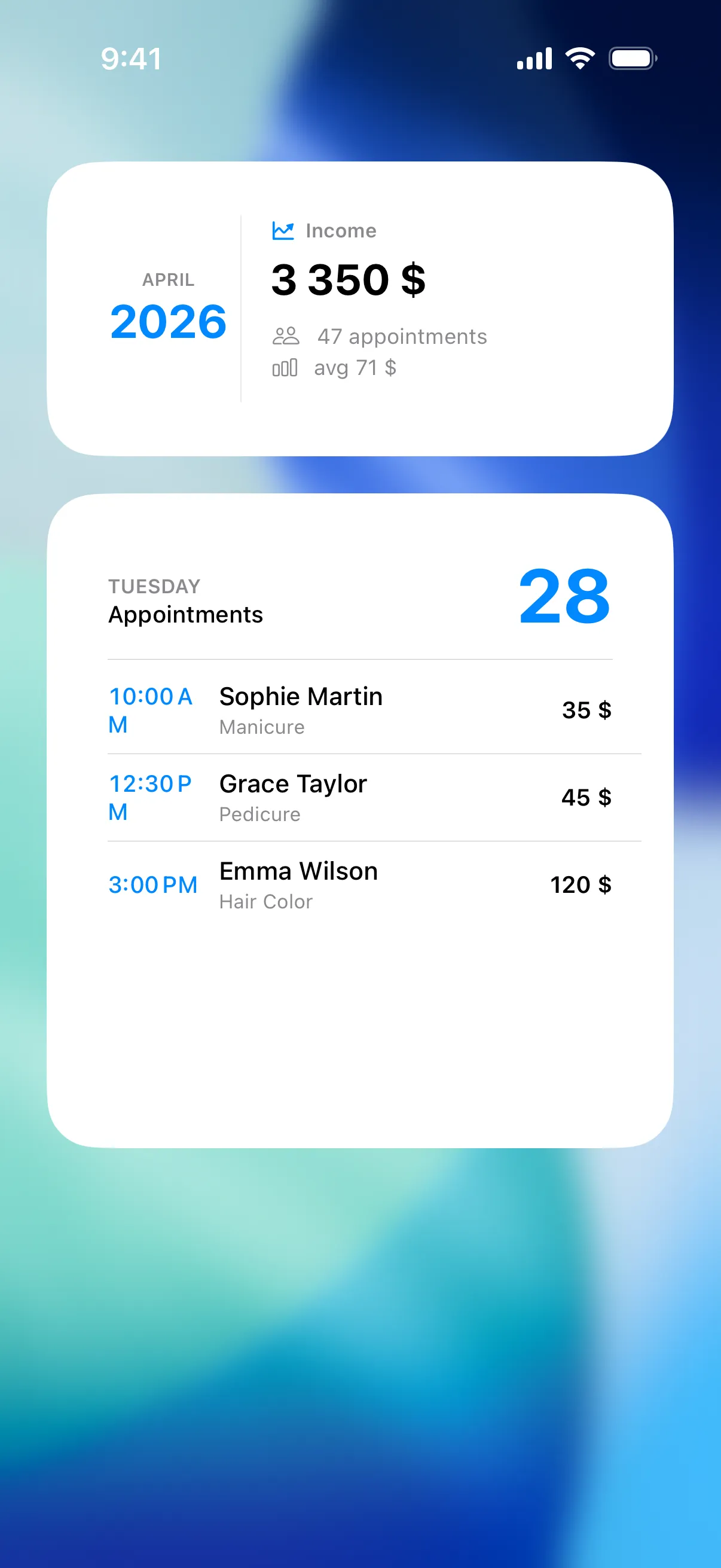
How it worksToday's bookings and monthly income widgets. Light or dark theme, accent color, 20+ languages.
How it worksClient, service, price and time — done. Full visit history and one-tap rebooking always at hand.
How it worksIncome, expenses, net profit and goals. 25+ currencies. Daily, weekly and monthly reports.
How it worksMonth, week, day. See your load and open slots instantly — switch the view that fits the moment.
How it worksAutomatic reminders — set anywhere from 30 minutes to 1 day before each visit.
How it worksToday's bookings and monthly income widgets. Light or dark theme, accent color, 20+ languages.
How it works "THE BEST APP FOR CLIENTS"
25,000 users trust us. Join them.
Best app for managing appointments, convenient and clear! Thank you.
App Store👌 Really great app!
App StoreExcellent app. This is the best app for keeping records ❤️
App StoreAmazing 💖 I use this app, it's excellent, 5 out of 5, nothing better.
App StoreGreat! ⚡️ Very convenient, simple, visual, no fluff.
App StoreGood app, nothing unnecessary.
App StoreAwesome app! Thanks for such a wonderful app, everything is simple and easy!
App StoreThe app is superb! Convenient with no extra frills getting in the way!
App StoreThe app keeps getting better and better with every update 😍
App StoreExcellent app, super simple and handy, nothing extra, been using it for 3 years.
App StoreReally love your app 🩷 The new features are a nice surprise )))
App StoreGreat app, no fuss, no headaches.
App Store"WE KEEP IT SIMPLE"
Built for professionals who value speed and privacy
Client, service, price and time — done. Full visit history and built-in Instagram lookup.
Income, expenses, net profit and prepayments. 25+ currencies, reports for any period and goals.
No signup, no email, no servers. Everything stays on your device — encrypted iCloud backups optional.
Yes. Download it, add as many clients and bookings as you like, and nothing expires. The free version covers the daily work: the schedule, client history, reminders for you, and what each visit earned. A Pro subscription adds the calendar views, deeper statistics, reports, widgets, sync — and removes the ads. Whatever you enter stays yours either way.
No. No sign-up, no email, no phone number, no verification code — your first booking takes about fifteen seconds after install. Even iCloud sync runs through your own Apple Account, so there is still no account with us.
iPhone and iPad, and Android phones. The two versions do the same job, but not every feature is identical — iCloud sync and Apple Calendar sync are iOS-only, while Android syncs to Google Calendar. The interface is translated into more than 20 languages and works in 25+ currencies — 42 of them on iPhone.
Anyone who books clients by name and works for themselves: hairdressers, nail and lash techs, barbers, massage therapists, tattoo artists, personal trainers, tutors, pet groomers, photographers, car detailers. If the alternative is a paper diary or the notes app, this replaces it.
No. It's an appointment book you keep yourself: clients message or call you the way they already do, and you add the booking in a few seconds — name, service, price, time. There is no public booking page, which is exactly why there's no account, no internet requirement and no booking commission. If you need a page where clients book themselves, that's a different kind of service. If you need a schedule that lives on your phone and belongs only to you, this is it.
Yes — it is built offline-first. Your schedule, client notes, prices and income all live on the phone, so everything works in a basement salon or in airplane mode. Only the optional extras need a connection: syncing between devices and pushing bookings to your calendar.
On your device. Clients, bookings, notes and income are never uploaded to a server of ours — we have no server holding your client list, and no way to read it. Backups go to your own private iCloud on iPhone, or to a file you keep on Android.
On iPhone with Pro, iCloud sync does it for you: install the app on the new phone, sign in with the same Apple Account, turn sync on, and your business is there. Without sync, the app writes a backup you restore on the new device. Moving between Android and iPhone works through a CSV export and import.
The calendar views that show a whole month of workload at once, statistics for any period with profit and average check, expense tracking and monthly income goals, PDF and CSV reports, home-screen widgets, sync between your devices and with your phone calendar, custom reminder templates, accent colors and alternative app icons — and no ads. It is one subscription, billed by Apple or Google.
With Pro, yes. On iPhone each booking appears in Apple Calendar in its own "My Clients" calendar, titled with the client and the service, and it moves when you move the booking. On Android the same thing happens in whichever Google Calendar you pick. It runs one way — your work calendar fills itself, and nothing you write in the calendar comes back into the app.
Yes, through a CSV file — exported from a spreadsheet, from another scheduling app, or from the other version of My Clients. iPhone: Settings → Data & Sync → Import Data. Android: Settings → Storage → Data and Storage → Import CSV data. If the file gives you trouble, send it to us and we will look at it.
No, and that is deliberate. The app reminds you about what is coming — the client hears from you. Hold down a booking, tap Notify client, and pick WhatsApp, Telegram, Instagram, Viber or SMS: the message is written for you, and you press send. Nothing ever goes out in your name on its own.
Start organizing your clients today


